Home chevron_right Shop chevron_right Convoro Modules chevron_right Custom Code Manager for Convoro

Custom Code Manager for Convoro

star star star star star
0.0 (0 shop.reviews)
update shop.Updated 1 week ago
Custom Code Manager for Convoro

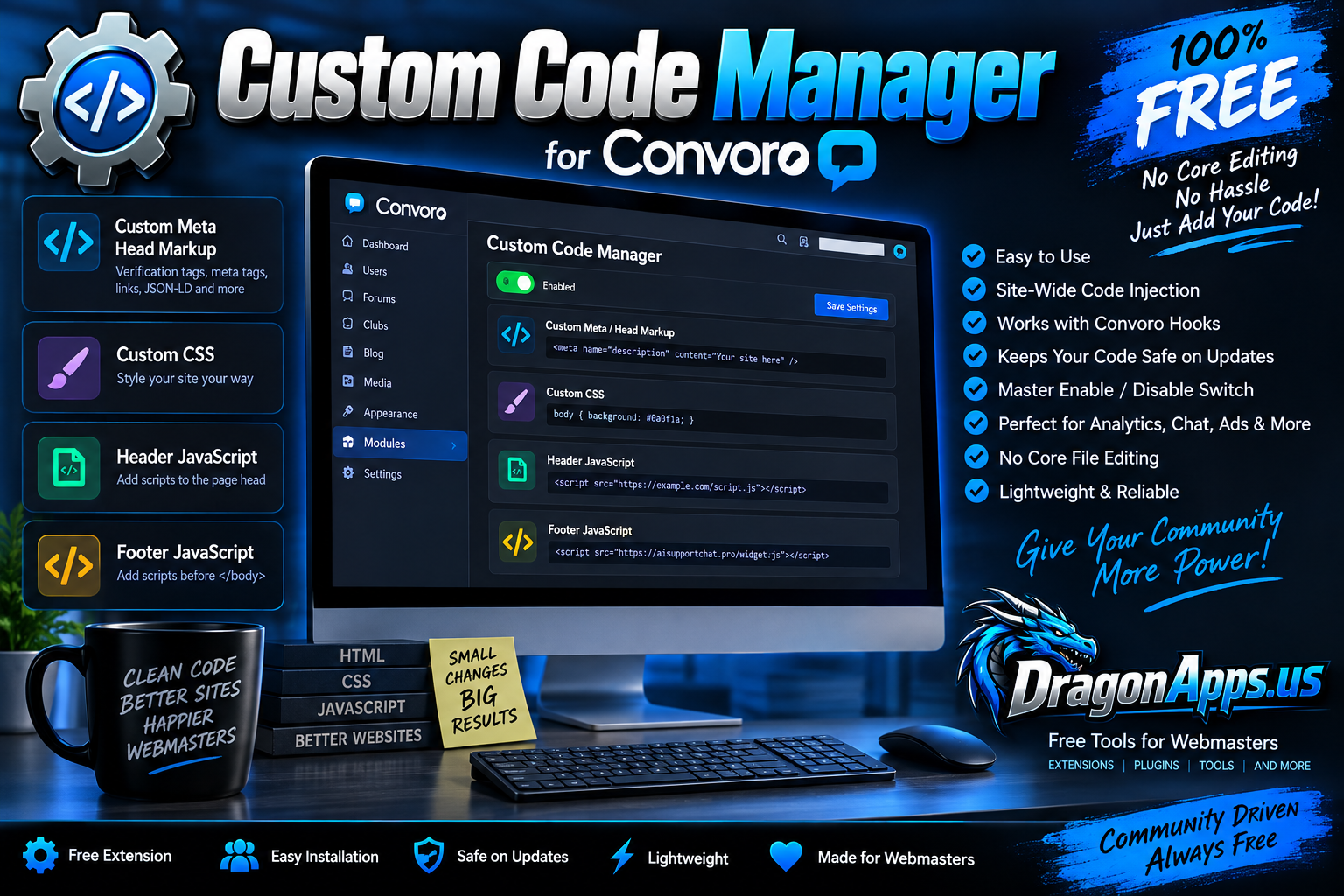
Custom Code Manager gives Convoro administrators an easy way to add custom Meta/Head markup, CSS, Header JavaScript, and Footer JavaScript without editing Convoro core files or modifying theme templates.

It is especially useful for analytics, verification tags, support widgets, chat systems, custom styling, third-party integrations, tracking scripts, and other site-wide additions that would normally require editing files manually.

And because apparently every website eventually needs “just one little script added somewhere,” this gives it a proper home instead of turning your theme files into an archaeological dig.

FEATURES

Custom Meta / Head Markup

Add site-wide head markup such as:

• Meta tags
• Search engine verification tags
• Social verification tags
• Link elements
• JSON-LD structured data
• Other custom head markup

Your code is injected through Convoro's native page rendering system.

Custom CSS

Add your own site-wide CSS directly from the Convoro Admin Panel.

You may enter:

• Plain CSS
• Complete style blocks

Plain CSS is automatically wrapped in the proper style tags.

Great for:

• Theme adjustments
• Font changes
• Colors
• Layout modifications
• Button styling
• Custom responsive rules
• Hiding or modifying specific interface elements

Header JavaScript

Add custom JavaScript intended for the page header.

Supports:

• Raw JavaScript
• Complete script blocks
• External JavaScript files using script src tags

Useful for integrations that specifically request header placement.

Footer JavaScript

Add JavaScript near the end of the page body using Convoro's native body.end hook.

This is ideal for:

• Live chat widgets
• Customer support widgets
• Analytics
• Tracking scripts
• Third-party embeds
• Popup systems
• Marketing tools
• External JavaScript libraries

Full external script tags can be pasted directly into the field.

For example, a third-party support widget can be added without touching a single Convoro template file.

SAFE UPGRADE STORAGE

Beginning with v1.0.1, Custom Code Manager stores its configuration outside the replaceable extension directory.

That means your saved:

• Meta code
• CSS
• Header JavaScript
• Footer JavaScript
• Enable/Disable setting

remain intact when the extension is reinstalled or upgraded.

Your custom code belongs to your website, not inside a folder that gets demolished every time an update arrives. Revolutionary concept, apparently.

MASTER ENABLE / DISABLE SWITCH

All custom output can be disabled from one setting without deleting the code you have saved.

This is useful when:

• Troubleshooting a conflict
• Testing a new script
• Temporarily disabling an integration
• Checking whether custom CSS is causing a display problem

Disable the extension output, test the site, then enable it again when ready.

BUILT FOR CONVORO

Custom Code Manager uses Convoro's native template hook system rather than editing core files.

It uses:

• head.after for head content
• body.end for footer scripts

This keeps the extension separate from Convoro core files and makes future Convoro updates much safer.

NO CORE FILE EDITING

You do not need to manually edit:

• Theme templates
• Header files
• Footer files
• Convoro core files

Everything is managed from the Convoro Admin Panel.

BROWSER-BASED CONFIGURATION

No SSH access is required for normal use.

Once installed, all custom code can be managed from your browser through the extension's admin screen.

GOOD USES FOR CUSTOM CODE MANAGER

Custom Code Manager can be used for things such as:

• Google verification tags
• Bing verification tags
• Analytics platforms
• Live chat widgets
• AI customer support widgets
• Helpdesk integrations
• Advertising scripts
• Affiliate tracking
• Custom fonts
• Custom CSS
• Social media tracking pixels
• Structured data
• External widgets
• Site ownership verification
• Custom JavaScript tools

INSTALLATION

Install the extension using Convoro's normal extension installation process.

After installation:

  1. Open the Convoro Admin Panel.
  2. Go to Modules.
  3. Open Custom Code Manager.
  4. Enable custom code output.
  5. Add code to the desired section.
  6. Save your settings.

No database setup or manual configuration is required.

REQUIREMENTS

• Convoro compatible installation
• Administrator access
• JavaScript enabled in the browser for JavaScript-based integrations

Third-party services may have their own account or API requirements.

VERSION

Current Version: 1.0.1

v1.0.1 includes persistent settings storage so custom code remains saved during future extension reinstalls and upgrades.

PRICE

100% FREE

There are:

• No premium features
• No paid upgrades required
• No subscription
• No locked functionality

LICENSE

MIT License

You may use and modify the extension in accordance with the included license.

CREATED BY DRAGONAPPS.US

Custom Code Manager for Convoro is developed and released free by DragonApps.us.

Website:
https://dragonapps.us

Support:
[email protected]

DragonApps.us creates free tools, extensions, plugins, and utilities for webmasters and online communities.

Custom Code Manager for Convoro gives administrators one clean place to manage the little bits of CSS, JavaScript, metadata, widgets, verification tags, and third-party embeds that somehow accumulate on every website ever built.

No core editing. No theme hacking. No hunting through templates six months later wondering who put that script there.

card_giftcard shop.Free One-time
shop.Total Due Today card_giftcard shop.Free
verified_user

shop.Secure Checkout

help_center

shop.24/7 Support