Author's Comment Box
Short Description
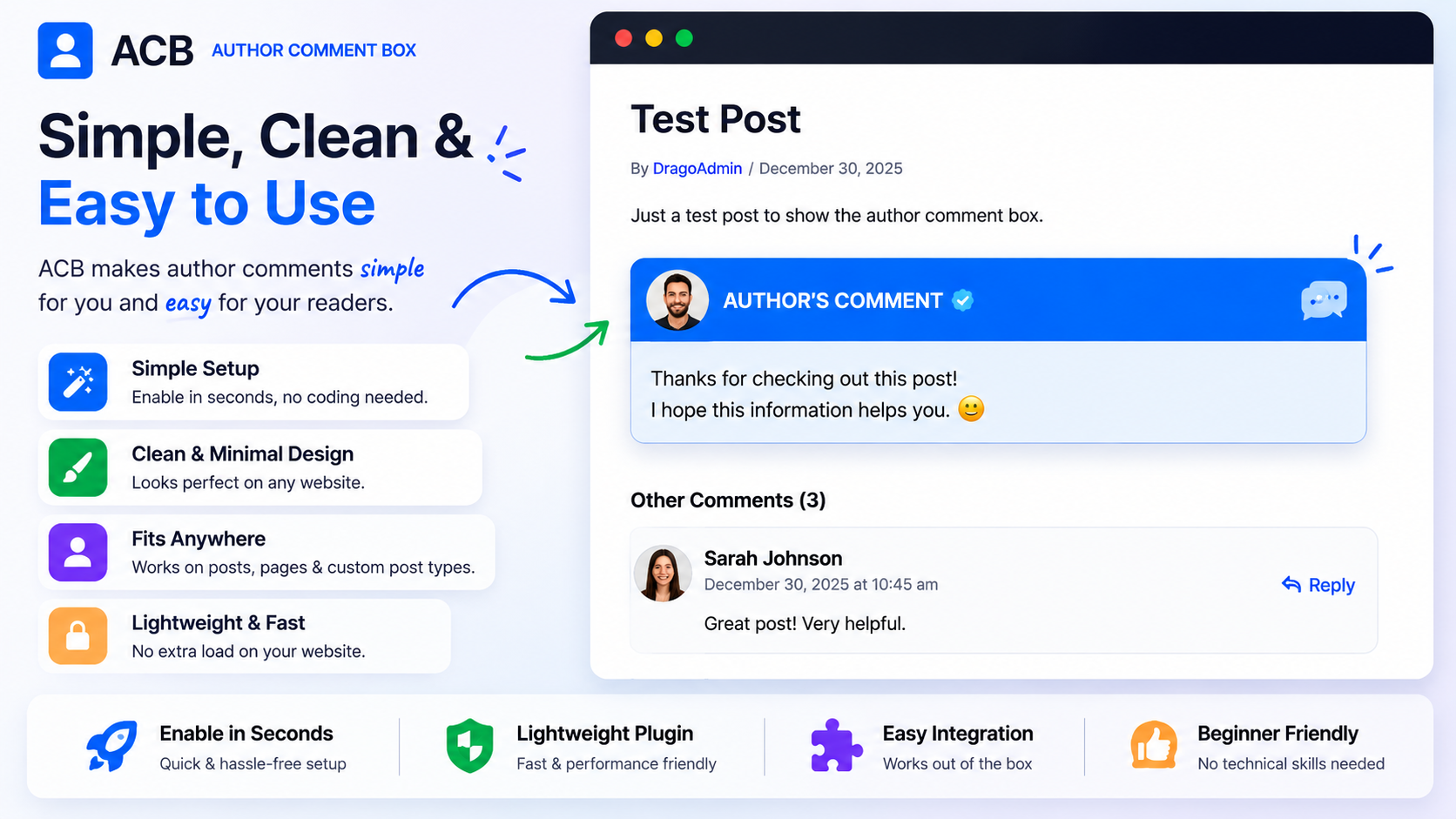
Highlight author comments across your WordPress site and make important replies easy to spot. Author's Comment Box automatically adds a styled box around comments made by post authors, editors, and administrators.
Full Description
Author's Comment Box makes conversations more engaging by clearly identifying official responses from content creators and site staff. Instead of blending into hundreds of comments, author replies stand out with a professional, customizable comment box.
Whether you run a blog, news site, community, membership site, or online course platform, visitors can instantly recognize trusted responses from the people who matter most.
Simple to configure, lightweight, and built to work with modern WordPress themes.
Free Features
- Highlight author comments automatically
- Support for post authors, editors, and administrators
- Custom author label badges
- Color customization options
- Lightweight and fast loading
- Mobile responsive design
- Works with most WordPress themes
- No coding required
- One-click enable/disable
Customer Reviews
No reviews yet.
Author's Comment Box FAQ
Frequently asked questions about Author's Comment Box
== Installation ==
1. Upload the plugin folder `authors-comment-box` to `/wp-content/plugins/`
2. Activate the plugin through the **Plugins** menu in WordPress
3. Go to **Author's Comment Box → Settings** to customize appearance
4. Edit any post and fill in the **Author's Comment** meta box
5. Save & view the post — your comment appears above or below the content
== Frequently Asked Questions ==
= Can editors, authors, and contributors use it? =
Yes — if they have access to create/edit posts, they can add author comments.
= Can I remove the border and still keep spacing? =
Yes — disable the border in settings while spacing remains applied.
= Does it work with Gutenberg and Classic Editor? =
Yes — both are supported.
= What happens if I switch themes? =
Comments stay, appearance stays, nothing breaks.
Fixed:
- Removed the empty DragonApps ghost sidebar menu.
- Standardized under Dragon Apps.
- Restored Author’s Comment Box settings page.
- Removed duplicate Verify button.
* Official Public Release
Secure Checkout
24/7 Support